
OCHC App
App Introduction

The OCHC App is the mobile application of Oakville Chinese Hope Church. It provides convenient access to church information, Sunday Worship services, and Sunday School lessons, allowing you to listen to related audio content anytime. You can also save your favourite content, view your listening history, and download audio or files for offline use.
Key Features:
Access essential church information
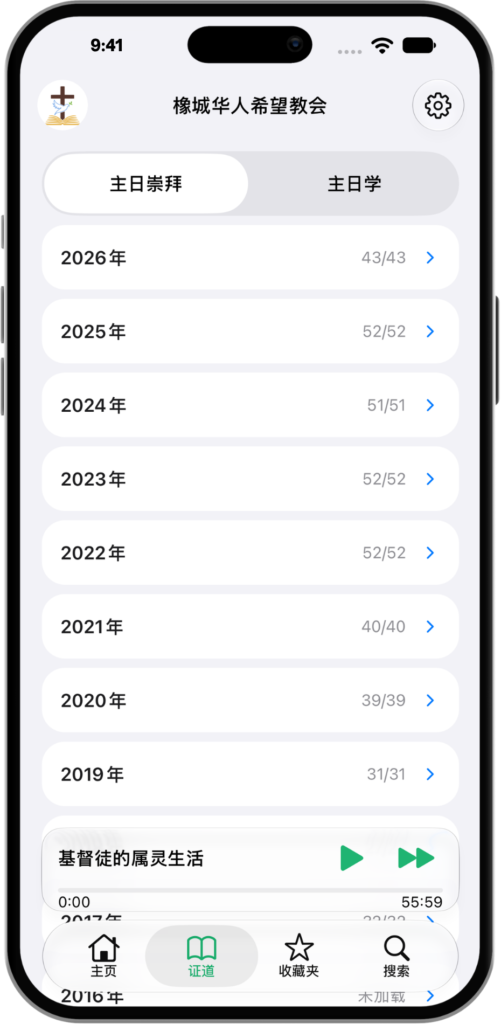
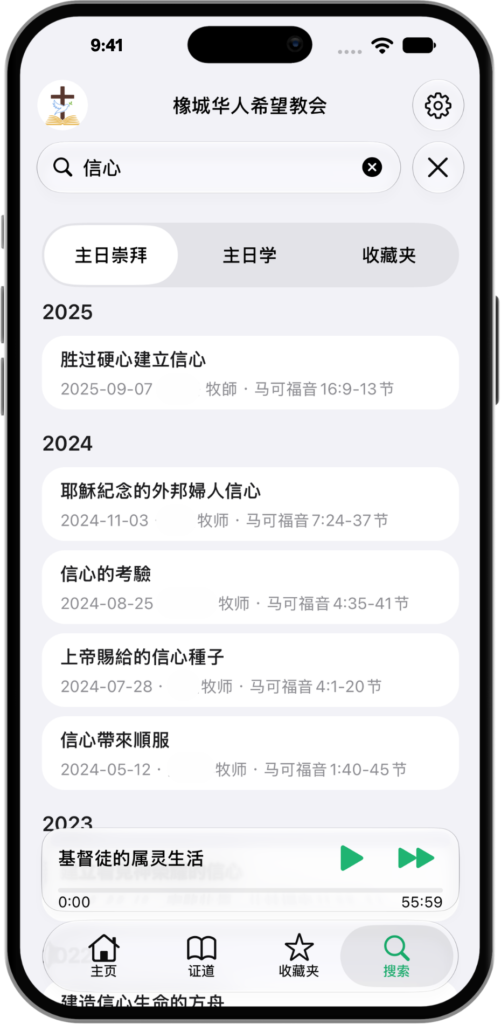
Browse Sunday Worship services and Sunday School lessons
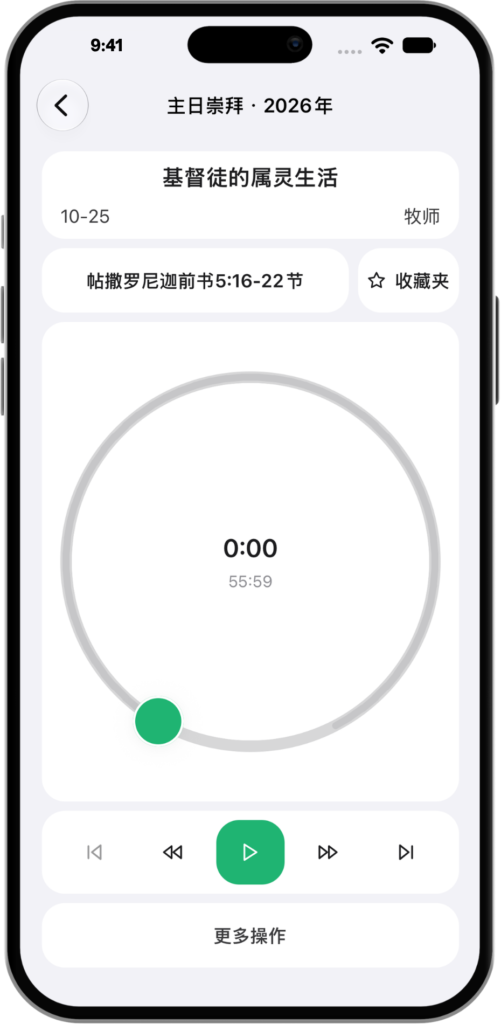
Listen to sermons and lesson recordings
Save your favourite content for easy access later
View your listening history
Download audio and files for offline access
Set reminders for Sunday Worship and Sunday School livestreams
Available in Simplified Chinese, Traditional Chinese, and English
No account registration is required. Downloaded content is stored locally on your device for personal viewing and listening.
Download the App

Download iOS
Click or scan the QR-code

Download Android
Click or scan the QR-code
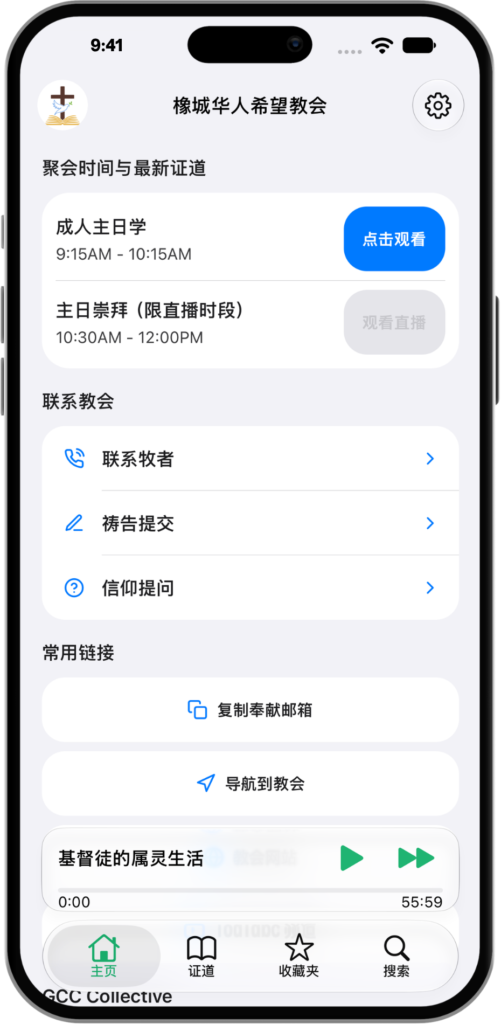
Interface Display
Frequently Asked Questions
1. What should I do if some sermons or lessons are missing?
First, check your internet connection and try pulling down to refresh the corresponding Sunday Worship or Sunday School list. If the content still does not appear, please try again later, as some new content may not yet have been uploaded or updated by the church. If the issue persists, go to"Settings → About → About the App → App Feedback"to report the problem so we can investigate further.
2. What is the difference between Single Playback, Continuous Playback, and Playlist Loop?
Single Playbackstops after the current audio finishes.Continuous Playbackplays the remaining audio tracks in the list in order and stops when the list ends.Playlist Looprestarts from the first track after the last track finishes, continuously repeating the entire list.
3. How can I submit a prayer request or a faith-related question?
On the Home screen, go to the "Contact the Church" section and select either "Submit a Prayer Request" or "Submit a Faith Question". Fill out the form and submit it. No registration or login is required. When submitting a prayer request, you can choose whether you would like the church to contact you and provide your preferred contact information. Faith-related questions can be submitted anonymously. The church may remove personal identifying information before sharing and answering questions through its communication channels.
4. How can I listen to Sunday Worship services and Sunday School lessons?
Open the "Sermons" tab at the bottom of the App and select either "Sunday Worship" or "Sunday School". Then, navigate to the appropriate year or lesson list and tap the content you would like to hear to start playback. Sunday Worship sermons can be browsed by year, while Sunday School lessons are organized by books of the Bible and course topics.
5. How can I save a sermon to my favourites?
Open the Sunday Worship sermon you would like to save and tap the star icon on the audio details screen. Select an existing favourites folder or create a new one to save the sermon. You can manage your saved content in the "Favourites" tab at the bottom of the App. You can also add the same sermon to multiple favourites folders.
6. How can I view Bible passages referenced in a sermon?
On the Sunday Worship audio details screen, tap an available Bible reference to read the corresponding passage in a pop-up window without leaving the playback screen. The English interface provides Bible passages from the English Standard Version (ESV), while the Simplified Chinese and Traditional Chinese interfaces provide the Chinese Union Version. Some pages in the "About" section also support Bible passage previews when references are tapped.
7. How can I download multiple audio tracks and files for offline use?
If you plan to listen to sermons while travelling, in areas with limited network coverage, or when you may not have an internet connection, you can download the content in advance. First, open the relevant Sunday Worship year or Sunday School lesson list and allow the App to load the content. Then go to "Settings → Download Management" and select the audio tracks or files you would like to download in batches. Once downloaded, the content will be available on your device even without an internet connection, making it convenient for offline listening and long-term access.
Important Note: Due to the limited resources of the church's website servers, please load the relevant lists in the App before using Download Management to download multiple items. This helps reduce server load and the risk of service interruptions caused by a large number of simultaneous requests. If you experience any difficulties, please contact the church staff responsible for App support for assistance.